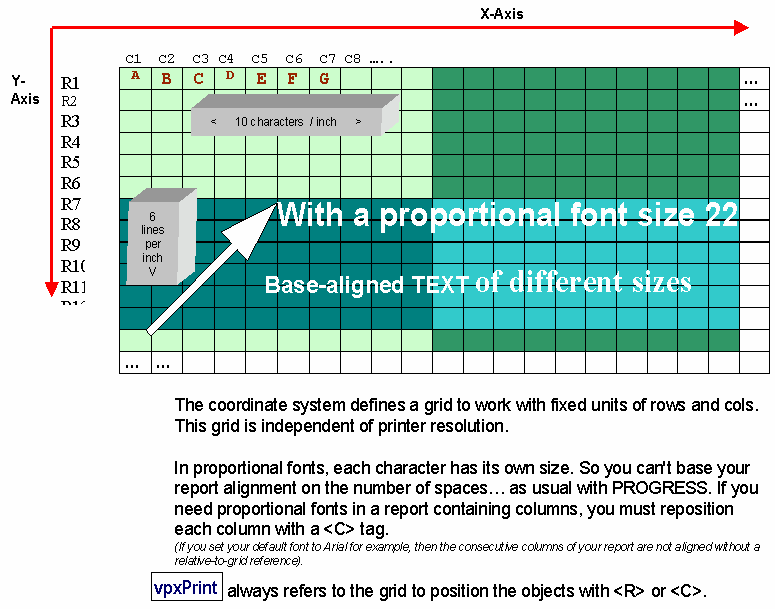
The number of characters per inch (CPI) and the number of lines per inch (LPI) define a grid, independent of the printer resolution.
The CPI value defines the space between columns (number of characters per inch) in the page while the LPI value defines the interval between lines in the report.
Changes to the grid can be done with with <CPI> or <LPI> tags.
The default values are: CPI = 10, LPI = 6, Font = Courier New, Font size = 12
Objects are placed in the page using <R> or <C> tags (row and column). <R> and <C> tags accept decimal values.
Each line feed increases the vertical position by the value of <CPI> tag (default is 1/6").
With non-proportional fonts, all characters are the same size, whereas with proportional fonts, each character has its own size. Spaces should not be used to align characters horizontally...
When using proportional fonts in a report with columns, each column must be referenced with a <C> tag, otherwise the text will not be aligned.
The order of the objects are created defines their Z-Order.
An object erases the content of the page (except for transparent images or non-filled rectangles).
If the report requires background objects, the corresponding sequences must be specified before the others or in a
The page: