Chaining frames:
Frames can be chained to continue text from one area to a next one.
<CHAIN>
This tag defines the current frames chain that will be used with the next <USE#frame1>:
Syntax: <CHAIN=frame1,frame2 [=PAGE][,frame3[,frame4]]…..>
When a text does not fit in a frame, then vpxPrint switch automatically to the next one in the chain.
Examples:
<CHAIN=1,2,3,4>
<CHAIN=1,2=PAGE,3,4> The frame #2 skips to the next page
Notes :
•Several chains can be defined at any times but they must use different first frames.
•if a page skip is done by vpxPrint, preprocessed variables and <#PAGES> are updated to reflect the changes.
•To interrupt the chain use <CHAIN=2,0> to stop the chain after frame 2.
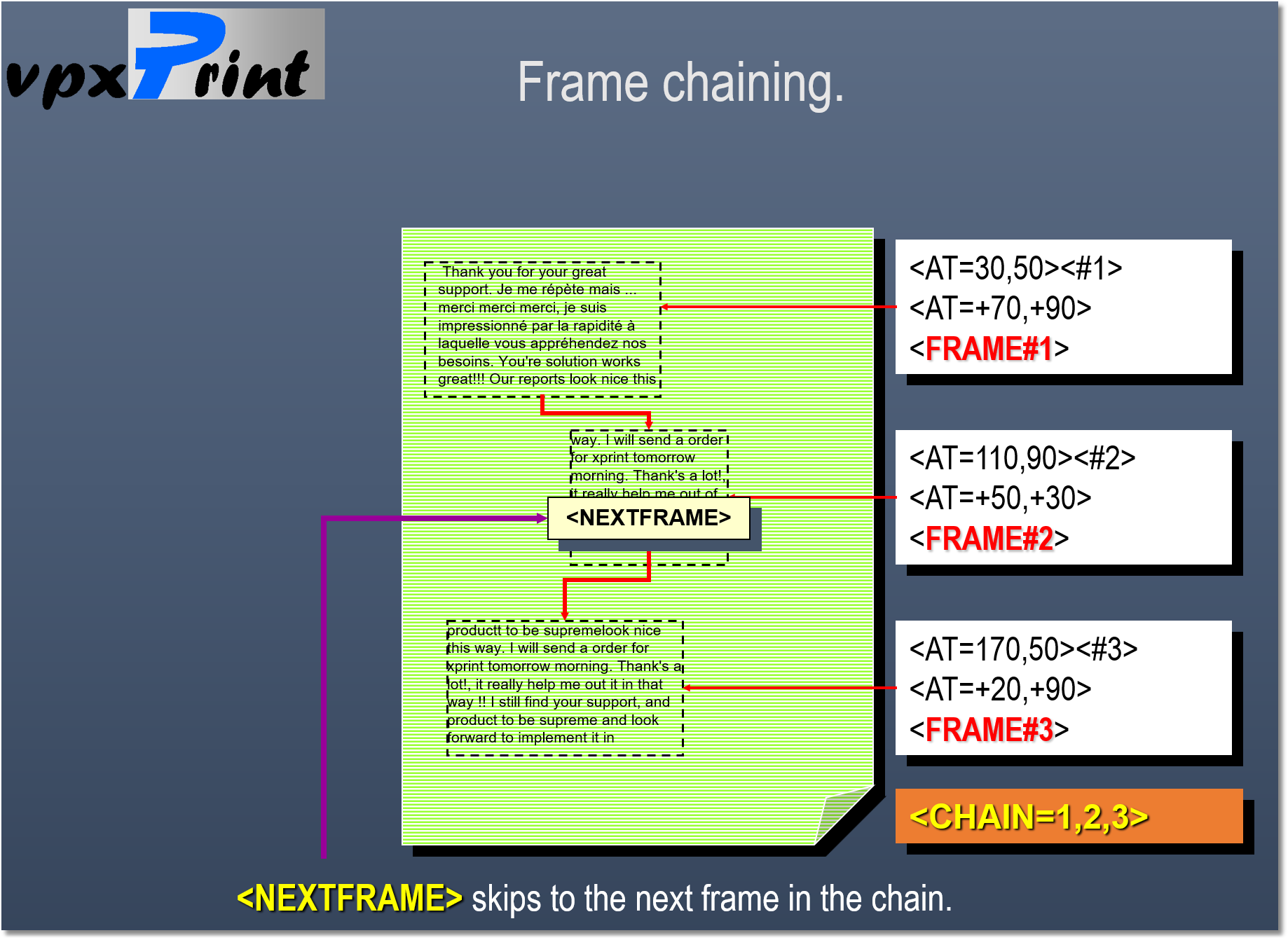

Frame #2 is on a new page...
|
A <NEXTFRAME> or a text overflow skips to the next page if
|

