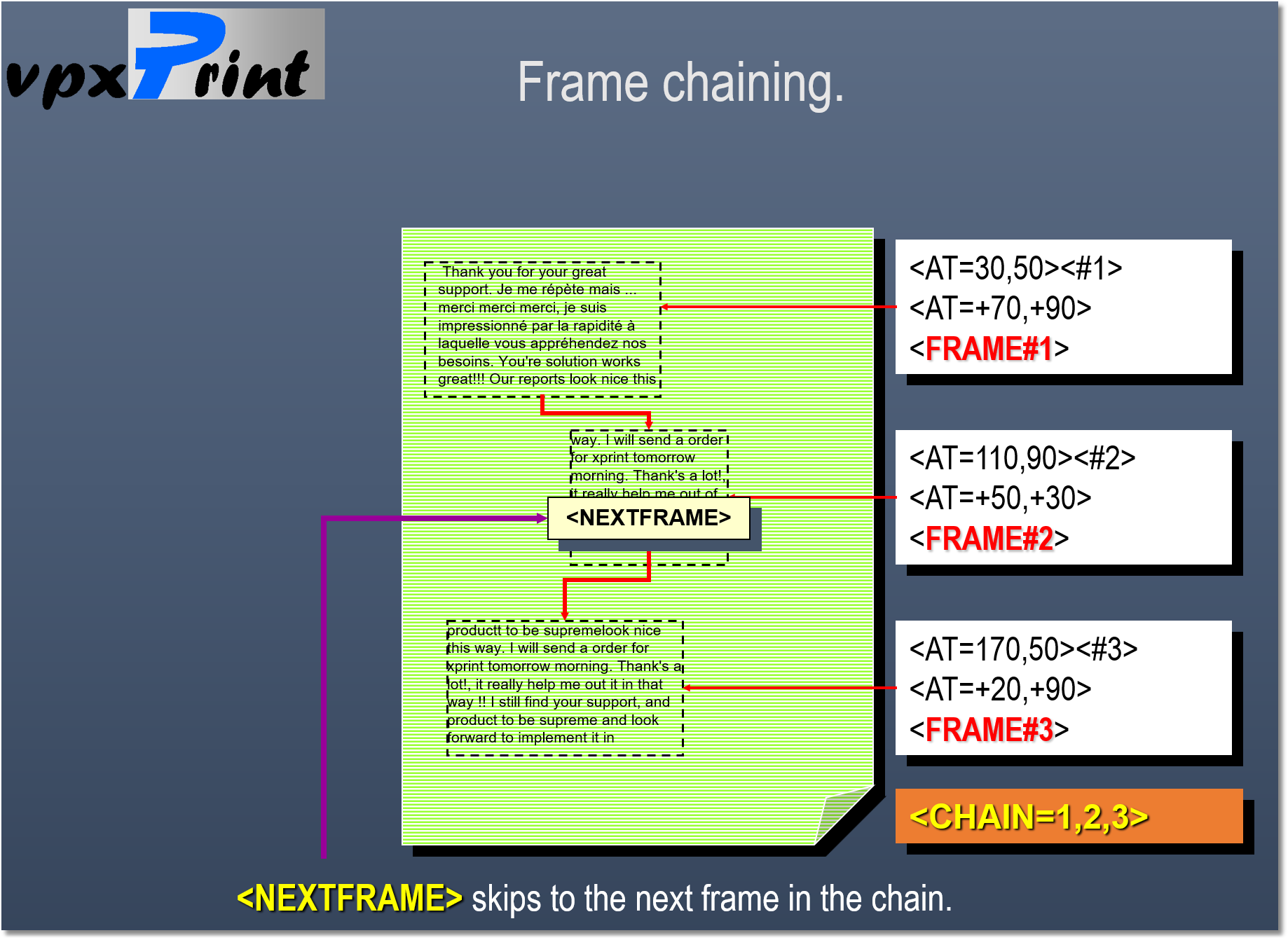
After a frame definition (<FRAME#nnn>), starts the writing in the frame with a use instruction.
Syntax:
<USE#n[,AUTO]>
Tells to vpxPrint that every characters must be sent to the named frame #n
Each character output is then derived to the named frame, switching automatically to the next one, if available. If AUTO option is specified and there is no next frame and no room for inserting the text, then vpxPrint skips to the next page and displays text in the first frame defined by the <USE> tag.
If AUTO option is not specified and there is no chained frame, the text is truncated.
vpxPrint frames are always word-wrap frames. </USE> stops writing to the frame or frame chain.
NOTES:
•Frames are text containers. Lines and rectangles are not affected by the frame setting but alter the current cursor position. Use them with precautions within a frame.
The next frame printing could be unpredictable.
•</USE> closes the current active PROGRESS frame. </USE=PROGRESS> leaves the PROGRESS frame opened.
•Using frames is also useful for text justification.
Manual switching
Tells vpxPrint to switch to the next frame defined in the chain (<CHAIN>).
Syntax: <NEXTFRAME>
Programming notes :
A form feed while writing to a frame always skips to a new page and starts the writing at the first frame in the page previously defined by the <USE> or the <CHAIN> tag.
A frame set is a good solution to set top, bottom, right and left margins.